

People
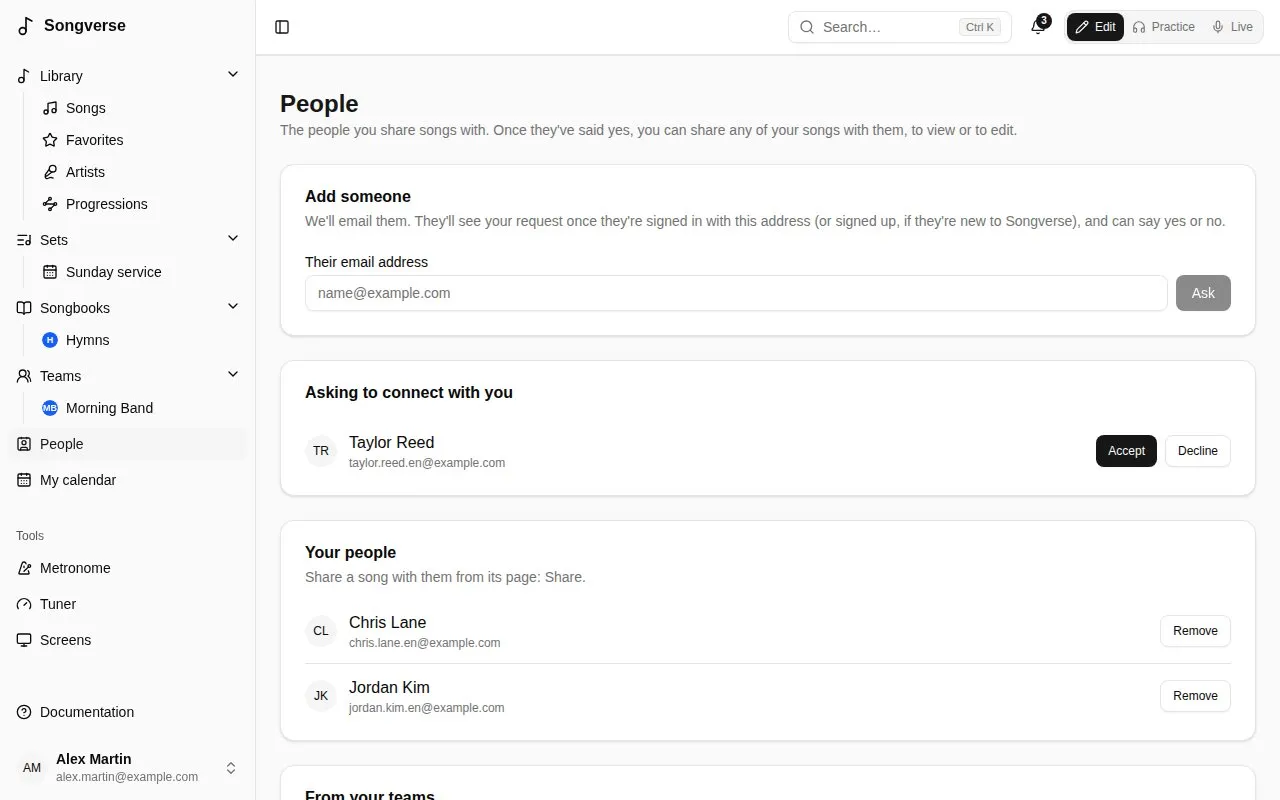
People, in the sidebar, lists who you’re connected to: the people you can share songs with. A team shares everything with everyone in it; People is for one song at a time, with one person - a guest musician, a friend from another church.
Adding someone
Section titled “Adding someone”Under Add someone, type Their email address and Ask. Songverse emails them that you’d like to share songs with them. They see your request under Asking to connect with you once they’re signed in with that address, and Accept or Decline it. Until then it’s listed under Waiting for an answer, where Cancel takes it back.
The email is the same whether or not they have an account: someone new to Songverse signs up with that address and finds your request waiting. Asking again doesn’t send another email, and you can ask up to 20 people a day.
Songverse never tells whether an address has an account, or whether someone declined: a request just stays waiting.
People you’re in a team with are listed under From your teams: Ask sends them a request in one click. If someone asks you while you’re asking them, you’re connected straight away.
Remove disconnects you from someone: what either of you had shared with the other stops being shared.
Sharing a song
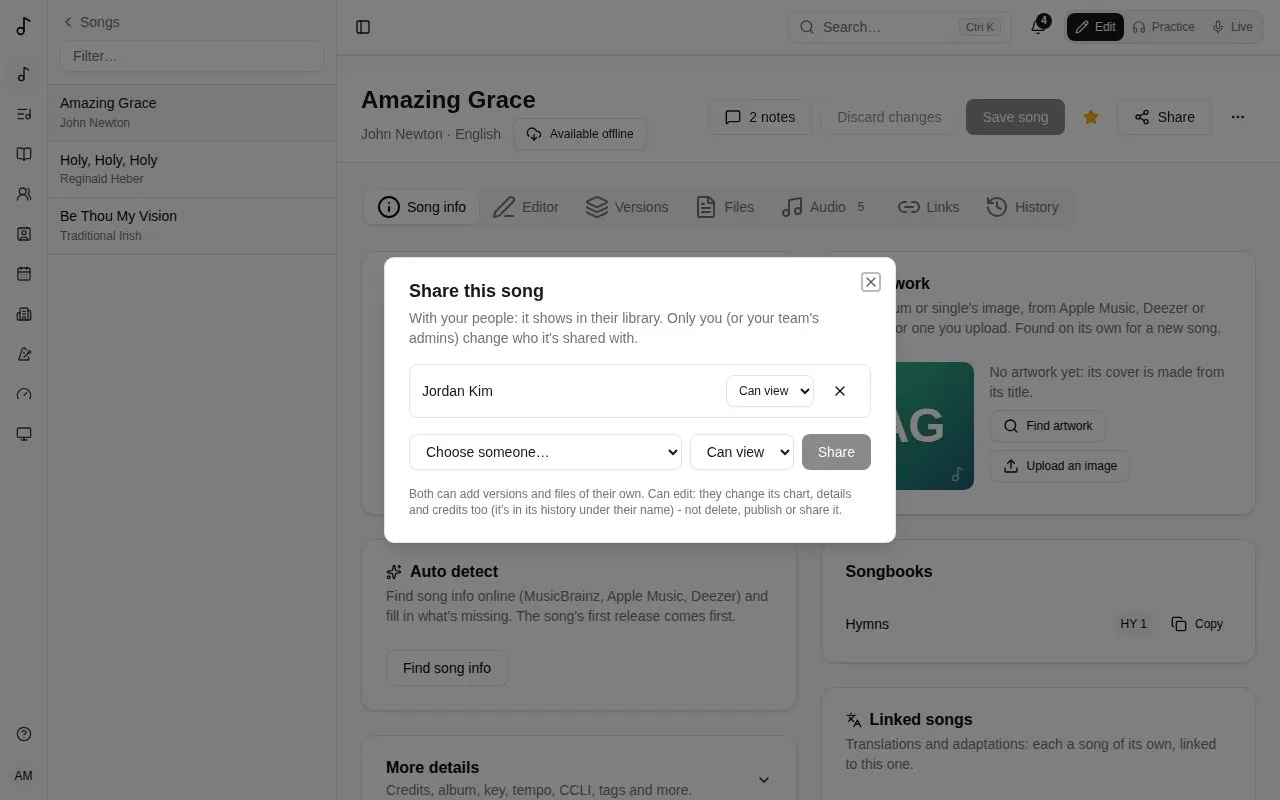
Section titled “Sharing a song”On your song’s page, Share lists who it’s shared with, and adds one of your people:
- Can view - it shows in their library, marked Shared by you. They can make versions of their own of it, add their own files (see Who sees a file) and put it in their sets.
- Can edit - they also change its chart, details and credits. Their changes are in its history under their name. They can’t delete it, publish it or share it further.
The files you add to the song can go to the people it’s shared with too: choose The people I share it with under Who sees it (see Who sees a file).
Change what someone can do, or stop sharing with them (×), in the same place. A team’s admins share the team’s songs the same way. A song in the global catalogue is everyone’s already: publishing it ends its sharing.
Someone a song is shared with can take it out of their library: Remove from my library in the song’s ⋯ menu.