

Working offline
Once you’ve used Songverse on a device, it opens there even with no network (on stage with no Wi-Fi, say). You stay signed in, and a banner says you’re offline and when the device last caught up. Changes can’t be saved until you’re back online.
Before a gig, open Songverse once while you still have a connection: it catches up on its own.
What’s kept
Section titled “What’s kept”Kept on the device automatically, with their songs:
- Your sets for the next two weeks (the days are a setting), whether you’ve opened them or not;
- any other set you open while online;
- your own songs.
You can keep more:
- Available offline, on a set or a song, keeps it on every device you sign in on.
- Keep a local copy, on a songbook, keeps it and all its songs.
- Include audio, next to either, downloads its audio files too. They’re large, so they never come otherwise.
A song’s PDFs, images and ChordPro files come with it, and so do the notes you see on it - in a set, the set’s too.
Whenever Songverse is open with a connection, it catches up every few minutes: changed songs and sets are updated. A set is removed once it’s deleted, once you can no longer open it, or a day after its date. A song or songbook is removed once you can no longer open it or stop keeping it.
Offline
Section titled “Offline”- Sets open read-only. Their songs open with their chords, and a set plays in Live from start to finish.
- Songs open read-only: their chart, the files kept with them (Open; a file the browser can’t show safely is downloaded instead), and Live.
- Songbooks you keep a copy of open with their entries.
- The search finds every song kept on the device, and the entries of songbooks you keep a copy of by their number, so a song the leader calls can still come up full screen.
- Anything else says Not available offline.
Offline storage
Section titled “Offline storage”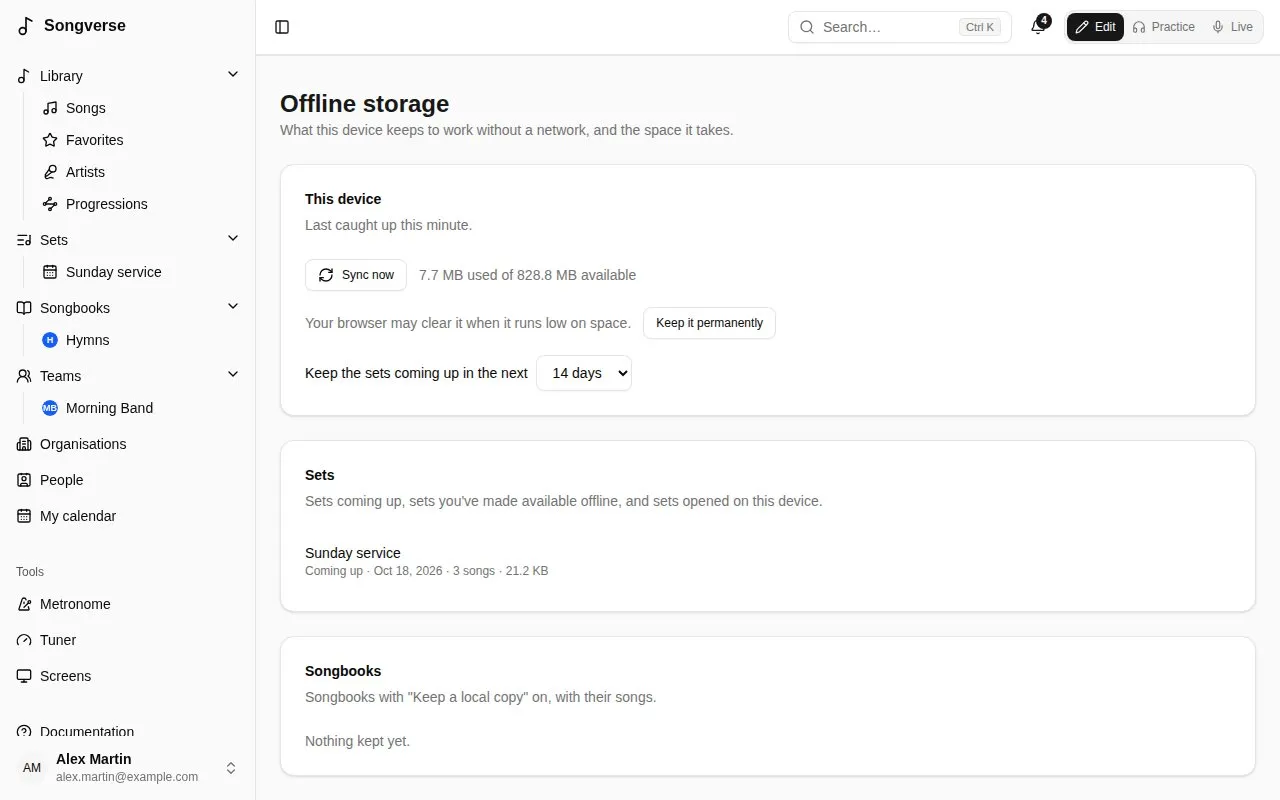
Offline storage, in the menu under your name, shows what this device keeps and the space it takes:
- when it last caught up, and Sync now;
- whether the browser may clear it when it runs low on space, and Keep it permanently;
- how far ahead sets are kept (Keep the sets coming up in the next 3 to 60 days);
- the sets, songbooks and songs kept, each with Remove. Removing something you made available offline stops keeping it on every device. Sets coming up come back on their own;
- Remove everything from this device.
Privacy
Section titled “Privacy”What’s kept on a device can be read by anyone using it while it’s unlocked. Sign out deletes it.